PM Awas Gramin List 2026-27 [UPDATED]
PM Awas Gramin List 2026 (PMAY-G): Pradhan Mantri Awas Yojana Gramin is the most popular affordable housing scheme for every poor family in India.
The government of India provides financial help to poor and low-income group families to build their own houses. Families who live in kutcha houses or have no house will get their house with financial aid from the government.
PMAY-G Permanent Waiting List 2026-27
Citizens also can check their name in the list of PM Awas Payment according to their state. Click on the state listed below to check the state-wise PMAY-G Permanent Waiting List 2026-27.
PM Awas Gramin List Check Online 2026
Anyone who wants to get their own house from the government under PM Awas Gramin Yojana must be listed on the rural housing list.
The PM Awas portal publishes the latest housing survey list online; let’s know how to check the PM Awas Gramin List. Follow the below steps:
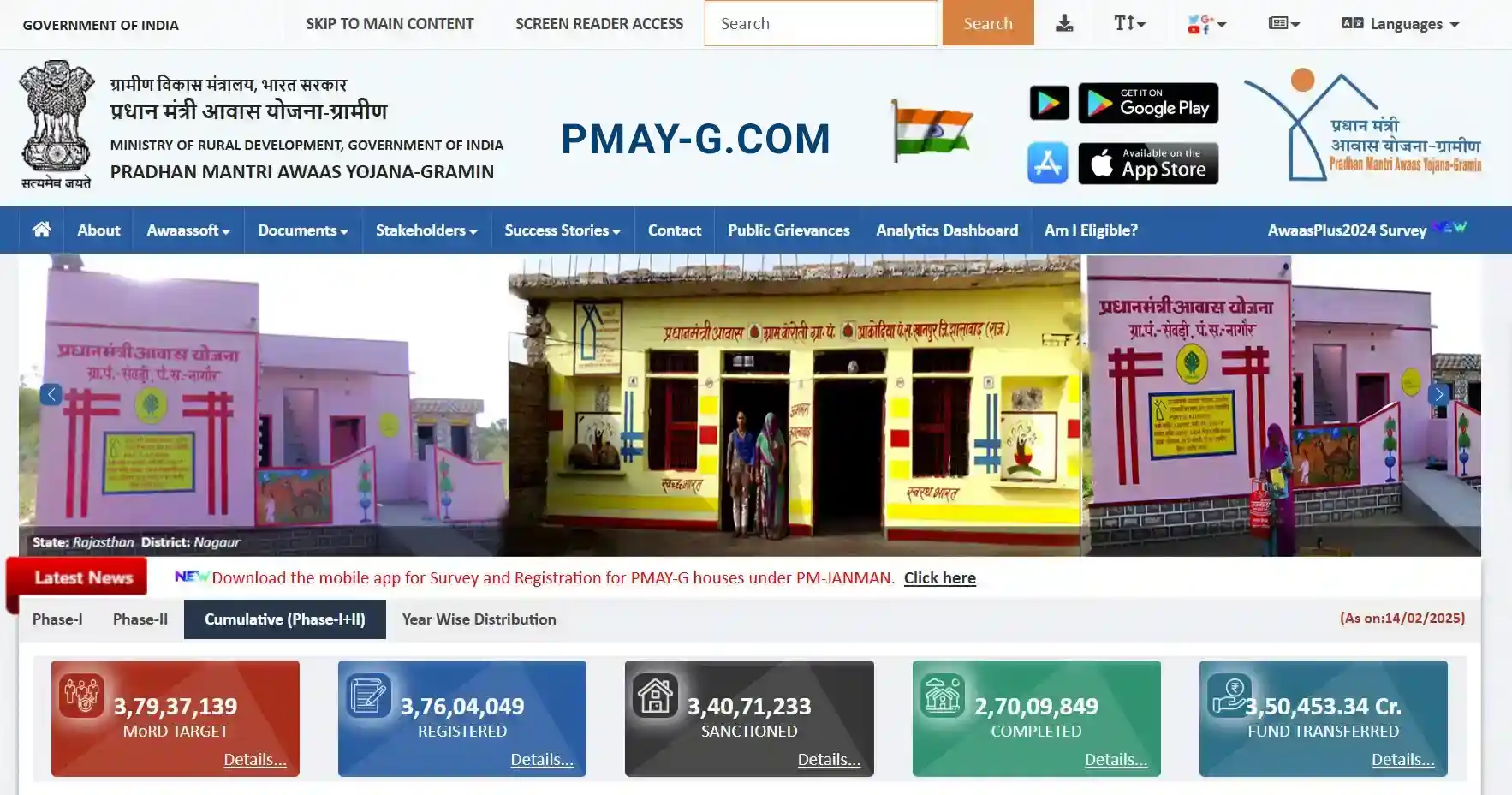
Step 1. Visit the official website of PM Awas Yojana Gramin: https://pmayg.nic.in/netiayHome/home.aspx
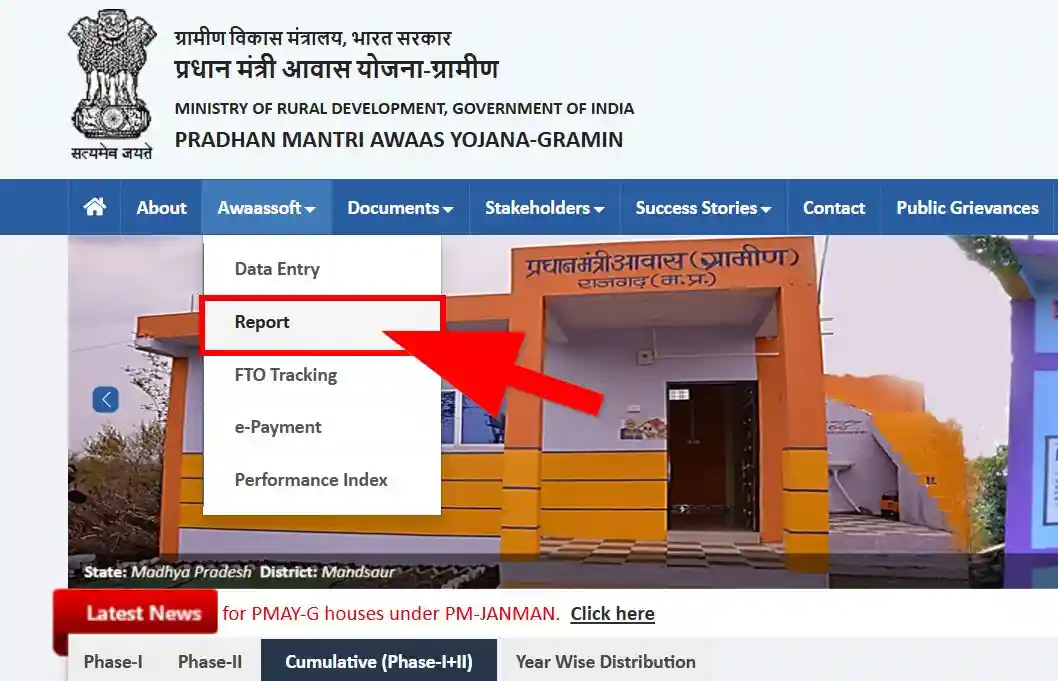
Step 2. On the menu bar, go to the Awaassoft option and under this section click on the Report option. https://rhreporting.nic.in/netiay/newreport.aspx
Step 3. Now open the report page PMAY-G Report. On this page, have some options below H. Social Audit Reports and go to the option Beneficiary details for verification.
Step 4. Now open the MIS Report page that has provided a complete PM Awas Gramin List according to your area. https://rhreporting.nic.in/netiay/SocialAuditReport/BeneficiaryDetailForSocialAuditReport.aspx
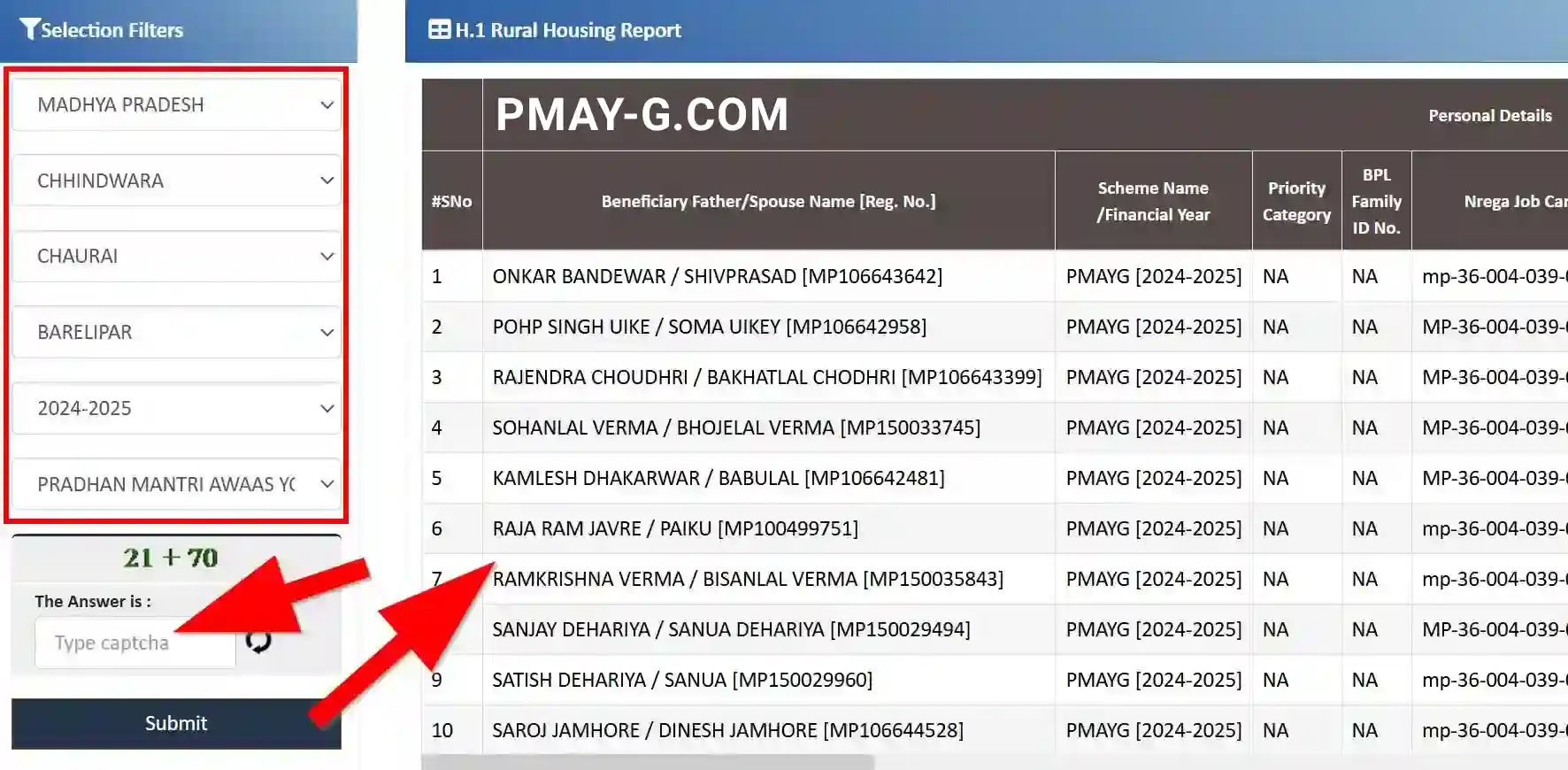
Step 5. Now you have to select some details in the Selection Filters section. The options you have to select that-
- Your State
- Your District
- Your Block
- Your Gram Panchayat
- Year of List
- Last select PMAYG
Step 6. Now fill in the Captcha code and press the Submit button. The PM Awas Gramin List will be displayed on the screen.
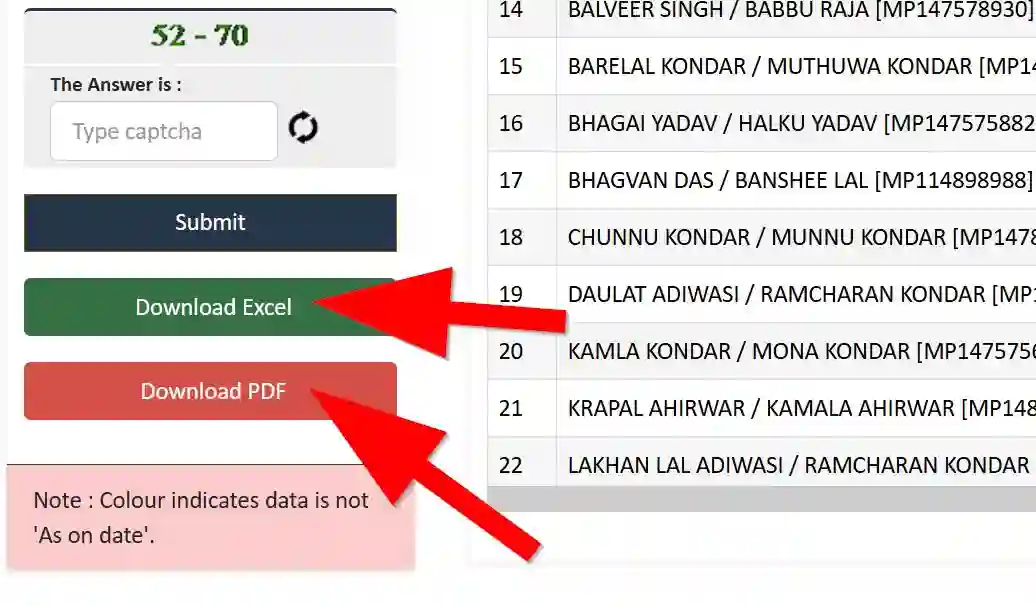
Now below, see two buttons, Download Excel and Download PDF. Using these buttons, you can download the list as wanted.
PM Awas Yojana Gramin Beneficiary Details Check
Citizens of India can check the beneficiary details of PM Awas Yojana Gramin applicants online. Let’s know the following easy steps to know PM Awas Gramin Beneficiary Details.
Step 1. Go to the official portal of PM Awas Gramin: https://pmayg.nic.in/netiayHome/home.aspx visit here.
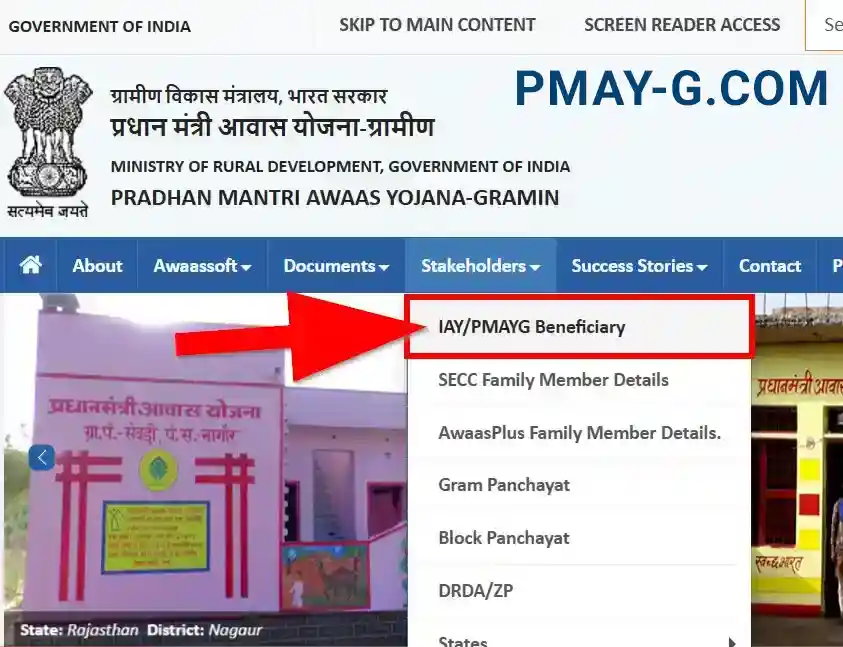
Step 2. On the menu, go to the Stakeholders section and click on the IAY/PMAYG Beneficiary option.
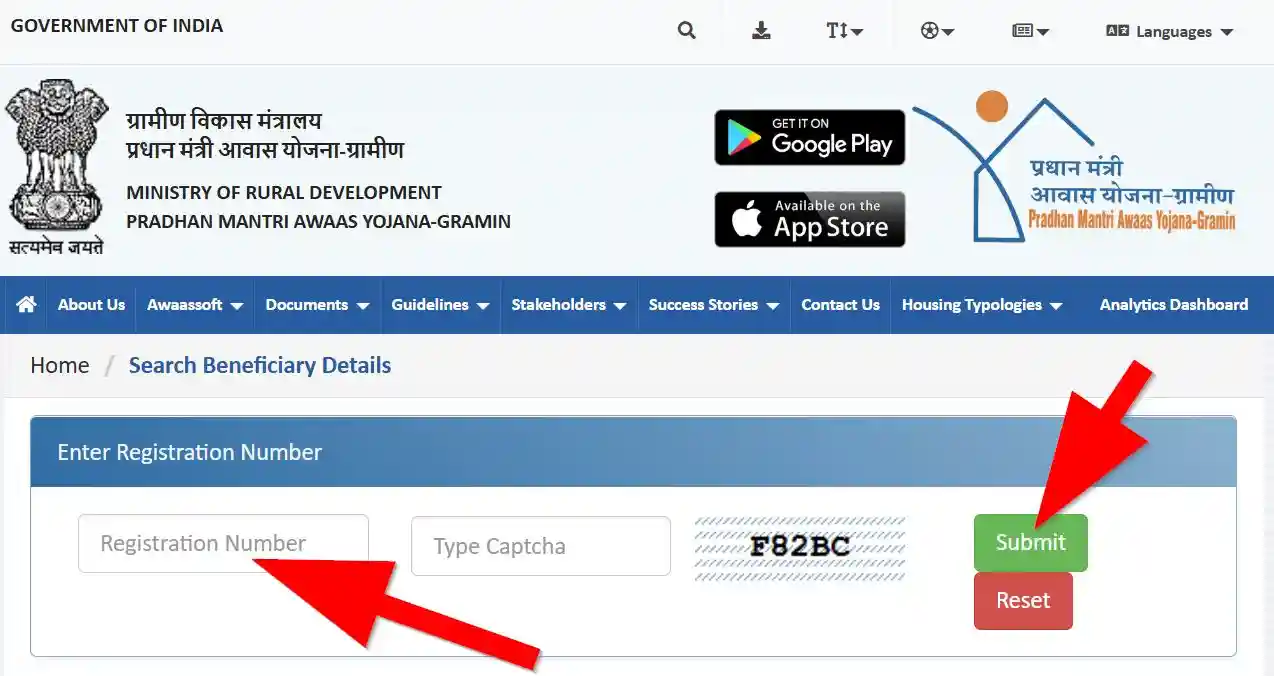
Step 3. Now a new Search Beneficiary Details page will open on the screen. On this page, you can possibly search for beneficiary information by entering the registration number. https://awaassoft.nic.in/netiay/Benificiary.aspx
Step 4. On this Beneficiary Details page, enter the PM Awas Gramin Registration Number and fill up the Captcha code; after that, press the Submit button.
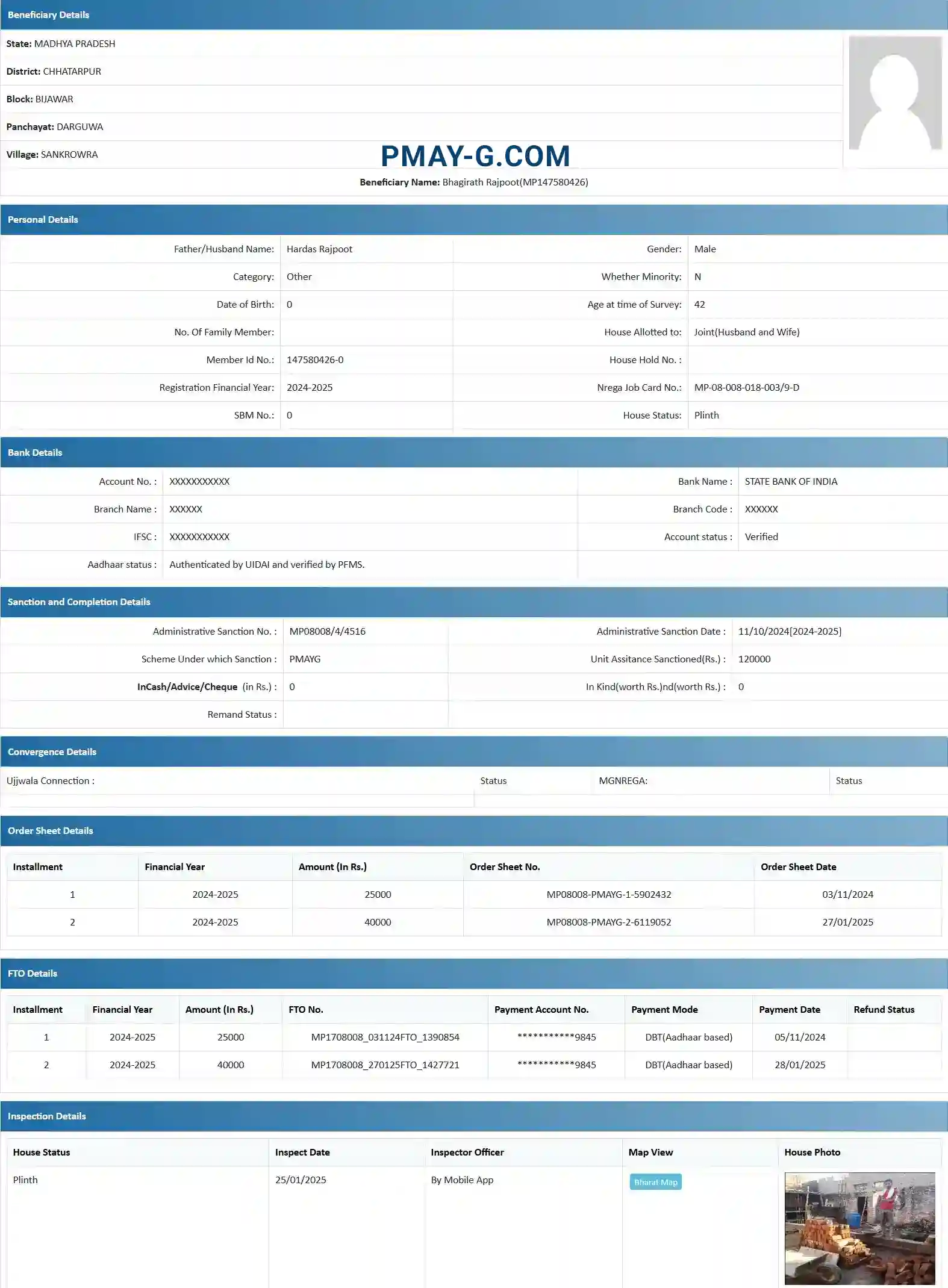
The complete PM Awas Gramin Applicant Beneficiary Details will display on the page. On this page also download the PM Awas Gramin sanction order in PDF.
The Sanction Order is a certificate or letter from PM Awas Yojana Gramin that proves the sanction of a sanction house for the applicant under the Pradhan Mantri Awas Yojana Gramin Scheme.
PM Awas Gramin List FAQ
What is PM Awas Gramin Yojana?
PM Awas Gramin Yojana is a flagship scheme by the Government of India aimed at providing "Housing for All" in rural areas. It provides financial assistance to homeless families and those living in kutcha or dilapidated houses to build a pucca house with basic amenities.
How much financial aid is provided under PMAY-G?
Under the PMAY-G scheme, beneficiaries in plain areas receive ₹1.20 lakh, while those in hilly, difficult areas, and IAP (Integrated Action Plan) districts receive ₹1.30 lakh. Additionally, beneficiaries can avail 90/95 days of unskilled labor wages under MGNREGA and ₹12,000 for toilet construction via Swachh Bharat Mission.
What if my name is not in the PMAY-G List?
If your name is missing from the current list, it may be because the survey for your area is still being updated or your application is under verification. You should contact your Gram Panchayat or Block Development Officer (BDO) to check the status of the 'Awaas Plus' survey or to file a grievance.
How to download the PMAY-G Sanction Order?
To download your Sanction Order, visit the official PMAY-G portal, go to the 'Stakeholders' menu, and select 'IAY/PMAYG Beneficiary'. Enter your registration number, and once your details appear, you will find a button to download the Sanction Order in PDF format.